
Summary
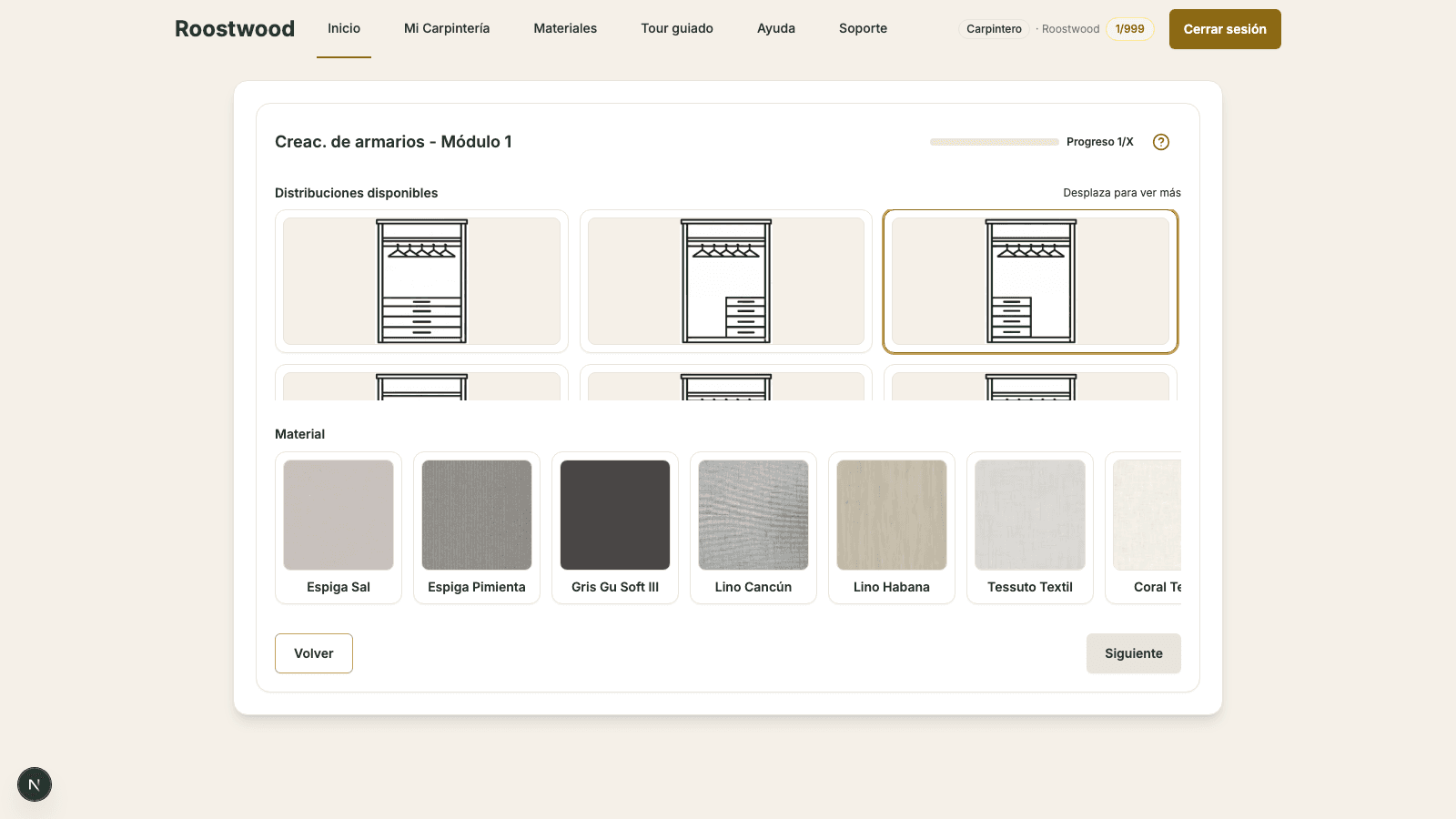
To add drawers to a section, the first thing is to choose a layout that includes them. In the available layouts grid you will see layouts whose icon already shows horizontal drawers: those are the ones that enable an extra wizard step where you decide how the drawer stack is built (a custom drawer stack built piece by piece, or a reserved space for another supplier's unit).
Steps
-
Choose a layout with a drawer stack. Inside the section step, in the available layouts grid, look for icons that draw a drawer zone (grouped horizontal lines). When you select it, the Material carousel for the body appears below.
-
Advance the wizard to the drawer stack step. After choosing the layout and material, press Next. If the layout has a configurable drawer stack, the wizard shows the drawer stack cards:
- Custom drawer stack — a real piece-by-piece unit: outer box and N drawers, with all dimensions configurable and the material chosen like the rest of the closet.
- Other supplier / Custom opening — you reserve the space the unit will occupy and buy the drawers from your own supplier.
-
If you go with the custom drawer stack, open its modal and fill in:
- Number of drawers (1 to 8), each with its own independent height.
- Box and drawer thicknesses and depths.
- Material of the front — the same material carousel with the supplier filter.
-
If you go with the custom opening, set the depth, panel thickness and the number of drawers with their heights and separations: only the box is represented, with the total dimensions it will occupy, so the closet design accounts for that space.
-
Press "Save". The drawer stack is integrated into the section's 3D and you move on to the next wizard step.
Tips
- Custom opening is the option when you work with an external drawer supplier (Blum, Hettich, etc.) — Roostwood does not impose a runner system; you order them from your supplier using the measurements that appear in the cut list.
- The total height is calculated automatically from the drawers, separations and panel thickness.
- Layouts without a drawer zone do not enable this step — the closet ships without a drawer stack and the cut list does not include one.