Summary
When you finish a project, you can generate a quote link to send to the end client. The link opens a web page with the closet in 3D, the materials breakdown and the price you decided to apply (with or without tax, discount if any). Optionally, you protect it with a password.
Steps
-
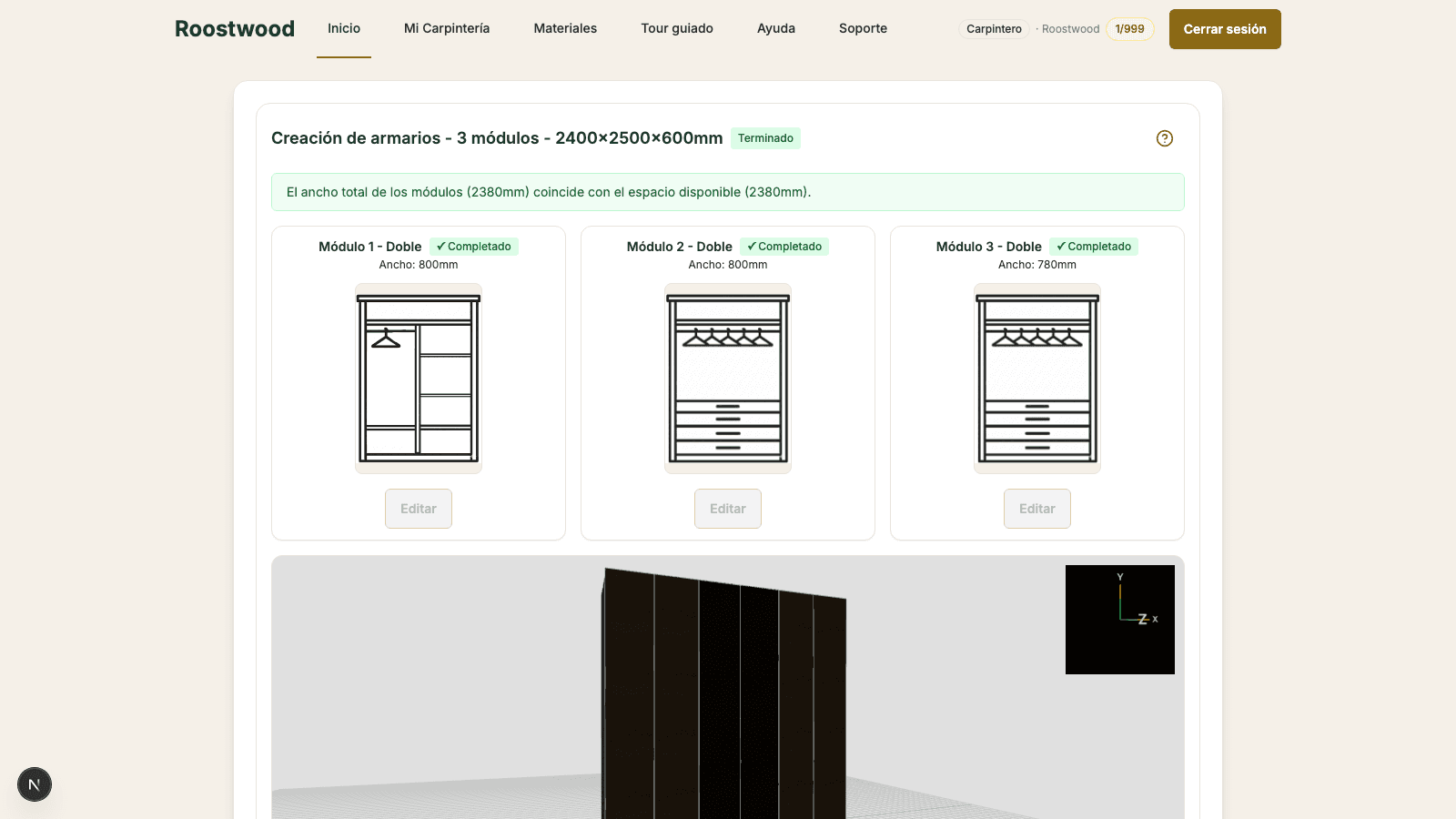
Open the project and press "Quote". From a Finished project, in the bottom button bar press the Quote button. The quote modal opens with three fields:
- Price for the client — the amount the client will see (before tax).
- Discount — optional, as a percentage.
- Sales tax — the applicable percentage.
Below you will see the Total with tax figure calculated in real time. If you generated a quote before, the system pre-fills the previous price for you.
-
Confirm the price. Press Generate quote and the system takes you to the share modal with the quote URL ready to copy. Here you also decide whether to protect it with a password before sending.
-
Share the link. You have two ways to get the quote to the client:
- Copy the link and paste it wherever you want (WhatsApp, manual email).
- Send by email — the system sends it directly from Roostwood, with your name as the sender.
If you decide to protect it, enable Protect with password. The password is shown in plain text only once; copy it before closing the modal.
Tips
- Share the link and the password through different channels (link by email, password by WhatsApp or a call). It is the best security practice and the modal reminds you.
- If you see Quote sent on under the button, you already sent it before. You can regenerate it if you want to invalidate the old one.
- The link keeps a counter: once the client opens it you will see Viewed X times in the modal. Useful to know whether they have read it.
- The end client is never charged: the quote web page is public (with or without password) and does not consume anything from your balance.